


Why Is My Battery Backup Beeping? How to Fix It
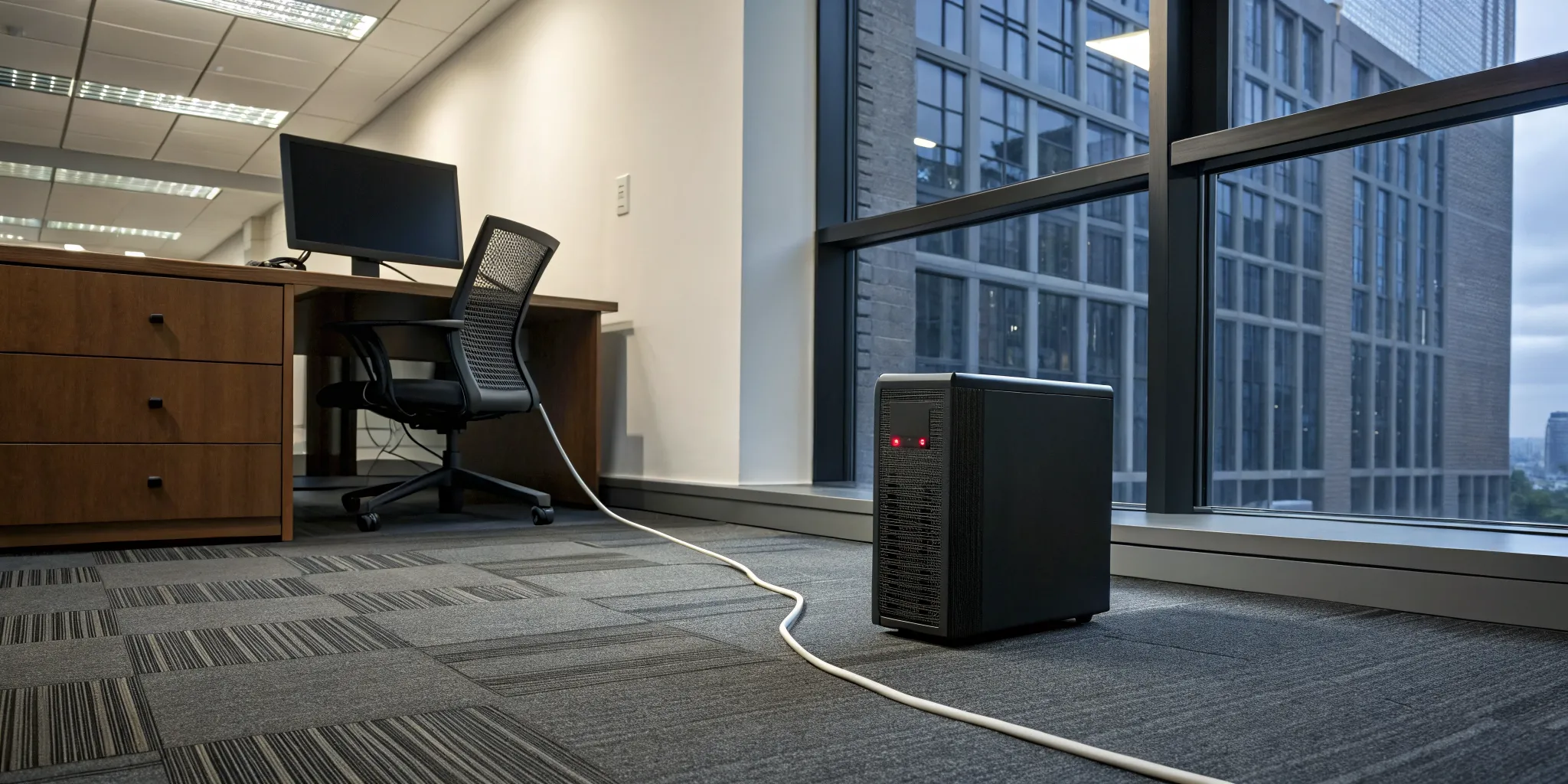
When the power goes out, the sudden silence is often broken by a frantic, repeating chirp from under your desk. That insistent battery backup beep can feel more like an alarm clock you can't snooze than a helpful alert. But don't just get annoyed—get informed. That beeping is a specific language, a code telling you what's wrong and how much time you might have left. Once you understand what the sounds mean, you can protect your devices and confidently manage the outage. This guide will teach you how to translate that beeping into action.
Key Takeaways
- Learn the language of your battery: The beeping is a code, not just noise. A slow, steady beep means it's working on battery power, a rapid beep signals the battery is low, and a solid tone warns of an overload, so you know exactly what action to take.
- Troubleshoot before you panic: You can often stop the beeping with simple steps. Start by checking the power cord and reducing the number of connected devices, then try rebooting the unit and allowing it to fully recharge after an outage.
- Plan for replacement and consider upgrading: A UPS battery typically lasts three to five years, so a constant chirp often means it's time for a new one. If you find your small unit can't keep up with your needs during outages, it may be time to explore a whole-home battery backup for true energy security.
Why Is Your Battery Backup Beeping?
That insistent beeping from your battery backup can be alarming, especially when the power just went out. It’s easy to feel a little panicked and just want the noise to stop. But before you try to silence it, it’s helpful to know that your battery isn’t just making noise for the sake of it. That beeping is its way of communicating with you. Think of it as a status update, letting you know what’s happening with your power and what the unit is doing to protect your home.
Understanding these audible alerts is the first step to feeling more in control during a power outage. Each type of beep, from a slow, steady pulse to a frantic chirp, tells a different story. It might be letting you know that it has successfully switched over to battery power, warning you that its energy reserves are getting low, or telling you that it’s working too hard. In some cases, it’s a sign that the internal battery has reached the end of its life and needs to be replaced. By learning to interpret these sounds, you can take the right action to protect your electronics and keep your home running smoothly. A reliable battery backup is a fantastic tool for energy independence, and knowing its language makes it even more powerful.
It's Running on Battery Power
The most common reason you’ll hear beeping is also the most reassuring one. A slow, steady beep, usually every few seconds, simply means the power from the grid has been cut, and the unit has kicked into action, just as it was designed to do. This is your battery backup’s way of saying, “Don’t worry, the main power is out, but I’ve got you covered.” It’s an alert to let you know that you are now running on battery power. This is the system working perfectly, protecting your connected devices from the sudden loss of electricity. So, if you hear this sound right after the lights go out, you can take a breath; it means your backup plan is working.
The Battery Charge Is Low
If the beeping suddenly becomes much faster, picking up into a rapid, almost non-stop pattern, it’s time to pay attention. This is your battery’s urgent message that it’s running out of juice. While it successfully carried the load after the power went out, its reserves are now critically low. This is your final warning to safely shut down any computers or sensitive electronics you have plugged into it. Ignoring this sound means your devices will abruptly lose power once the battery is completely drained, which is exactly the situation you have a backup to avoid. Think of it as a two-minute warning to wrap things up before the battery gives out.
You've Overloaded the Unit
A single, long, continuous tone is your battery backup’s version of a smoke alarm. It’s a serious warning that means the unit is overloaded. You’ve plugged in more devices than the battery can safely support, and it’s struggling to keep up with the demand. This can happen if you try to run too many high-power items at once. When you hear this sound, you need to act quickly and unplug some of your devices to reduce the load. Ignoring an overload warning can damage not only the battery unit itself but also the electronics you’re trying to protect, so it’s important to lighten its workload right away.
The Battery Has Failed or Expired
If you hear a constant, nagging chirp every minute or so, even when the power is on, your battery is likely telling you it’s time for retirement. This persistent sound, often paired with a flashing error light, means the internal battery has failed its self-test and can no longer hold a sufficient charge. Batteries in these units typically have a lifespan of three to five years. This chirping is a sign that yours has reached the end of its useful life. To ensure you have protection for the next outage, you’ll need to replace the battery. It’s a critical maintenance step for all residential customers who rely on these systems.
The Unit Is Overheating
Just like any other hardworking electronic device, your battery backup can get too hot. If you hear a specific alarm pattern—which can vary by model—it might be the unit’s way of telling you it needs to cool down. As experts at CyberPower explain, an alarm can indicate that the battery is getting too hot. This is a critical safety feature designed to prevent damage to the internal components. Make sure your unit has plenty of breathing room and isn't crammed into a tight cabinet or covered by a blanket. It needs good airflow to dissipate heat effectively. If it feels hot to the touch, unplug non-essential devices to reduce its workload and ensure its vents are clear of dust and obstructions. Proper placement is key to keeping it cool and ready for action.
There's a General System Fault
Sometimes, a continuous, solid beep doesn't mean you've overloaded the unit, but that there's a deeper issue. This type of alert often signals a general system fault. It’s the battery’s way of saying something is wrong internally, and it can no longer guarantee protection for your devices. As noted in the CyberPower Power Blog, a continuous beep can indicate a system fault, such as a problem with the power output. If you’ve already tried reducing the load and the beeping persists, the next step is to try rebooting the unit. If the fault alarm returns, it’s a strong sign that the battery backup has reached the end of its life. While these smaller units are great for individual devices, frequent faults can indicate it’s time to explore a more robust solar and battery solution for your home.
What Do Those Battery Backup Beeps Mean?
That beeping isn't just random noise; it's your UPS trying to tell you something important. Think of it as a secret code. Luckily, it’s a code that’s easy to crack. Each pattern of beeps points to a specific issue, so let's translate what your battery backup is trying to say. Understanding these alerts helps you take the right action, whether it's simply waiting for the power to return or shutting down your computer to prevent data loss.
A Slow Beep: Running on Battery
This is the most common sound you'll hear from a UPS, and it’s usually not a cause for alarm. A slow, steady beep every few seconds simply means the unit has switched to battery power and is doing its job. This happens when your home's power is out or if the voltage from the wall outlet drops unexpectedly. The UPS is letting you know it's protecting your connected devices. There's no immediate action required other than letting the unit fully recharge once grid power is restored.
Rapid Beeping: Low Battery Warning
If the beeping suddenly becomes fast and frantic, it's time to act quickly. This rapid, non-stop sound is an urgent warning that the battery is critically low and about to run out of power completely. You likely only have a minute or two of runtime left. You should immediately save any work you have open and safely shut down your connected equipment, like your computer or router. This will prevent any data loss or potential damage that can occur from an abrupt shutdown when the battery finally dies.
A Solid Tone: Overload Alert
A single, continuous, solid tone is your UPS screaming for help. This sound almost always indicates an overload. It means you have plugged in too many devices, or a few very high-power devices, exceeding the unit's maximum power capacity. Things like laser printers, space heaters, or vacuums are common culprits that should never be plugged into a standard UPS. To fix this, unplug non-essential items from the battery backup outlets until the alarm stops. If this happens often, you may need a more robust battery backup solution.
Constant Chirping: Battery Needs Replacing
A persistent, rhythmic chirping, often paired with a lit-up fault or error light, points to a problem with the battery itself. This alert means the battery has either failed a self-test, is completely disconnected, or has simply reached the end of its useful life. Most UPS batteries have a typical lifespan of about three to five years. When you hear this sound, it’s a clear sign that the battery needs to be replaced to ensure your equipment stays protected during the next outage.
Remember: Codes Vary by Manufacturer
While the beeping patterns we’ve covered are the industry standard, it’s important to remember that they aren’t universal. Think of it as a dialect; the basic language is the same, but the specific accents and phrases can differ between brands like APC, CyberPower, or Tripp Lite. The best way to become fluent in your battery’s specific language is to consult its user manual. It might feel like a bit of homework, but taking ten minutes to read it can save you a lot of stress later. Knowing exactly what your UPS is trying to tell you through its unique alarms helps you act quickly to prevent bigger problems and keep your equipment safe. Keep the manual in a place you can easily find it—maybe even tape a little cheat sheet with the beep codes to the unit itself.
Beyond Beeps: Other Alarm Types
Audible beeps are just one of the ways your battery backup communicates. Modern systems, from small desktop units to robust whole-home solutions, often use a combination of alerts to give you a complete picture of your power situation. Understanding these different alarm types helps you fix issues quickly and protect your important equipment. In addition to sounds, your unit likely uses visual cues like colored lights or even detailed on-screen messages. For more advanced systems, like the kind that can power your entire home, you might even get notifications sent directly to your phone. This multi-layered approach ensures you’re never left in the dark—figuratively, at least—about what’s happening with your power.
Visual Alarms: LEDs and LCD Screens
Look at the front of your battery backup, and you’ll likely see at least one or two lights. These LEDs are a simple but effective way for the unit to show its status at a glance. Most models use a color-coded system that’s pretty intuitive. Generally, a green light means everything is normal and the unit is running on utility power. A yellow or amber light often indicates a warning, such as the unit running on battery power or the battery itself getting low. A red light typically signals a more serious fault, like an overload or a failed battery that needs replacement. More sophisticated units feature an LCD screen that provides even more detail, displaying the current load, remaining battery percentage, and specific error codes to make troubleshooting a breeze.
Remote Notifications
For the ultimate peace of mind, especially for larger systems, nothing beats remote notifications. Many modern battery backups, particularly whole-home battery backup systems, can connect to your home’s Wi-Fi network. This allows the system to send alerts directly to your phone or email when a power event occurs. Imagine being at work or on vacation and getting a text message that the power at home has gone out and your battery has seamlessly taken over. You can monitor the battery’s status and know exactly what’s happening without being there. This level of control and awareness is a key benefit of integrating a smart battery system into your home, giving you true energy independence and security no matter where you are.
How to Stop Your Battery Backup from Beeping
That incessant beeping from your UPS is enough to drive anyone crazy, especially after the stress of a power outage. The good news is that the sound is a signal, and once you understand what it’s telling you, you can usually fix it with a few simple steps. Think of it as a process of elimination. We’ll walk through the most common causes, from the easiest fixes to the ones that might signal a bigger issue.
Following these steps will help you diagnose the problem and, hopefully, restore some peace and quiet to your home. If the beeping points to a failing battery or you find that your small UPS just isn’t cutting it for your needs, it might be time to think about a more robust solution. For many California homeowners, frequent outages make a whole-home battery backup a more reliable and long-term investment in energy security. But first, let’s get that beeping to stop.
Step 1: Check Your Power Source
Before you do anything else, start with the most basic check. Is the UPS properly plugged in? It might sound silly, but a loose plug is a common culprit. Make sure the cord is securely connected to a working wall outlet. You can test the outlet with another small appliance, like a lamp, to confirm it has power. If the outlet is dead, check your home’s circuit breaker to see if a switch has been tripped. Sometimes the solution is as simple as flipping a switch back on.
Step 2: Reduce the Load on the Unit
Your UPS has its limits. It’s designed to power essential electronics, not your entire office. If you hear a constant, solid tone, it’s likely a warning that the unit is overloaded. You may have too many devices plugged in, drawing more power than the UPS can provide. Take a look at what’s connected. High-power equipment like printers, space heaters, or paper shredders shouldn’t be on a standard UPS. You'll need to unplug non-essential items to reduce the load and see if the beeping stops.
Reset the Circuit Breaker
In addition to your home's main electrical panel, many battery backup units have their own built-in circuit breaker. This is a safety feature designed to protect the unit from damage if it gets overloaded with too many devices. If your UPS suddenly goes dead and won't turn on, even after you’ve reduced the load, check the back of the unit for a small push-button. If this button has popped out, the internal circuit has been tripped. Before you do anything, make sure you’ve unplugged the extra devices. Then, you can simply push the button firmly back in to reset the circuit. This simple action can often bring your unit back to life instantly.
Step 3: Mute the Beeping Alarm
If you’ve confirmed the power is on and the load is fine, but the beeping persists (perhaps a slow, steady beep indicating it's running on battery), you can often silence the alarm temporarily. Most UPS units have a mute button, sometimes labeled with a speaker icon or requiring a short press of the power button. This can give you some quiet while you troubleshoot. Keep in mind that muting doesn't fix the underlying issue. Your user manual will have specific instructions on how to mute the alarm for your model.
Step 4: Use Power Management Software
If you want a more detailed look at what your UPS is doing, see if it came with power management software. Many modern units can connect to your computer with a simple USB cable, opening up a dashboard that gives you a clear view of the system's status. This software essentially translates the beeps into plain English, showing you the exact battery charge level, the current power load, and how much runtime you have left. It offers real-time monitoring, so you can diagnose problems without any guesswork. Plus, you can often customize alerts or mute the alarm right from your computer, which gives you far more control than just pressing a button on the box.
Step 4: Reboot the Unit
Sometimes, electronics just need a quick reset to clear a temporary fault. To reboot your UPS, start by turning it off and unplugging it from the wall. Next, disconnect all your devices from the UPS. With everything unplugged, press and hold the power button for about five seconds to completely drain any residual power. After that, you can plug the UPS back into the wall, turn it on, and then reconnect your equipment one by one.
Step 5: Let It Fully Recharge
After a power outage, your UPS battery is drained. It needs time to recover. Once power is restored, leave the unit plugged in and undisturbed for at least eight hours, though a full 24-hour recharge is even better. If the unit is still beeping after a full day of charging, it’s a strong sign that the internal battery has reached the end of its life and needs to be replaced. A battery that can no longer hold a charge will often trigger a persistent chirping or beeping alarm.
Step 6: Run a Self-Test
Once you’ve stopped the beeping and given the battery time to recharge, it’s a good idea to run a system test. Many UPS models have a self-test function that you can start by holding down the power button for a few seconds. This test simulates a brief power outage to ensure the battery kicks in as it should and can handle the connected load. Knowing what the beeps mean and regularly testing your system helps you stay prepared for the next time the lights go out.
How to Clear a False Battery Error
It’s frustrating when you’ve done everything right, but your UPS still shows a battery error. Sometimes, after a long outage causes a deep discharge, the unit's internal sensor gets confused and needs to be recalibrated—think of it like its internal fuel gauge needing a reset. You can often fix this false error with a manual calibration. First, let the UPS charge completely. Then, unplug it from the wall and connect a small, steady device that isn't critical, like a desk lamp. Let it run until the battery is totally drained and the unit shuts itself off. After it's off, unplug the lamp and plug the UPS back into the wall. Allow it to recharge for at least 8-12 hours without anything connected to it. This process helps the system relearn its battery capacity and can clear that stubborn error message. If the error persists, it’s a strong sign the battery has truly failed, and it may be time to explore a more dependable battery backup solution.
When Should You Replace Your UPS Battery?
Even the most reliable UPS battery won’t last forever. Think of it like the battery in your phone or car; it’s a consumable part with a limited lifespan. Knowing when it’s time for a replacement is key to ensuring you have power when you need it most. A failing battery won’t protect your electronics during an outage, which defeats the whole purpose of having a UPS in the first place. Fortunately, your battery backup will usually give you clear signals when it’s nearing the end of its life. Paying attention to these signs and performing some simple maintenance can help you stay prepared.
Understanding Your UPS Battery
To really get a handle on your UPS, it helps to know a little about the battery inside. This component is the core of the whole system, storing the power that keeps your devices running when the grid goes down. But just like any battery, it has a finite lifespan and will degrade over time. Understanding what kind of battery you have and how to maintain it is the difference between being prepared and being caught off guard. It’s a small but important part of a larger strategy for energy independence, especially for those of us in California who are all too familiar with power disruptions. Taking a moment to learn about your battery helps you manage its health and know exactly when it’s time for a replacement.
Common Battery Types
Most consumer-grade UPS units use a sealed lead-acid battery. They are reliable and cost-effective, but they don’t last forever. You can generally expect a lifespan of about three to five years before a replacement is needed. That persistent, rhythmic chirping we talked about earlier is the most common sign that your battery has reached the end of its road. It’s a built-in reminder that it can no longer hold a reliable charge. While replacing these small batteries every few years is manageable, if you find yourself relying on them frequently, it might be a sign to consider a more permanent solution. A whole-home battery backup offers a much longer-lasting and robust way to keep your entire home powered.
Why You Should Register Your UPS
When you unbox a new UPS, it’s tempting to just plug it in and forget about the paperwork. But taking two minutes to register your unit online is one of the smartest things you can do. Registering your device is what officially activates your warranty, which is crucial if the battery fails prematurely. It also serves as proof of ownership in case of theft and often gives you access to free technical support from the manufacturer. According to experts at CyberPower, this simple step ensures you can get help when you need it. Think of it as free insurance that can save you a lot of time and frustration when you’re trying to diagnose a problem or get a replacement part.
Signs It's Time for a Battery Replacement
The most obvious sign that your battery needs attention is a constant, non-stop beep. Unlike the intermittent beeps that signal a power outage, this continuous sound is often a specific alert that the battery itself has failed. It means the unit can no longer hold a sufficient charge to protect your devices. This can happen when the battery has simply reached the end of its typical 3-to-5-year lifespan. If your UPS is beeping endlessly even when the power is on, it’s not protecting you anymore. It's a clear message that you should find a replacement battery right away to keep your system secure.
What If a Brand New Unit Is Chirping?
It’s incredibly frustrating to unbox a brand new device only to have it start chirping at you. If your new battery backup is making a constant, rhythmic sound, don’t panic. This usually points to a simple fix. The most common reason is that the internal battery was disconnected for safety during shipping. Check your user manual for instructions on how to access and connect the battery terminals; it’s typically a straightforward process of sliding off a panel and plugging in a connector. If the battery is already connected, the unit may just have a temporary fault. Try performing a full reboot by unplugging it from the wall, disconnecting your devices, and holding the power button for a few seconds to reset it. If the chirping persists after these steps, you may have received a faulty unit and should contact the manufacturer for support.
How Often to Replace a UPS Battery
As a general rule, you should plan to replace the battery in your UPS every three to five years. This timeframe can vary based on how often it’s used and the environment it’s kept in. It’s a good idea to write the installation date on the new battery with a marker so you can easily track its age. Thankfully, most modern UPS units from brands like APC and CyberPower are designed for easy battery replacement. You don’t need to buy a whole new unit; you can simply swap out the old battery for a new one. This is a much more affordable and less wasteful approach to maintaining your backup power system.
The 3-to-5-Year Rule (and Its Exceptions)
The three-to-five-year mark is the industry standard for a UPS battery's lifespan, and it’s a solid benchmark for planning your replacement schedule. However, this isn't a hard-and-fast rule. Think of it more like the "best by" date on a carton of milk—it's a guideline, but real-world conditions matter. The biggest factor affecting your battery's health is its environment. A UPS stored in a hot, stuffy closet will have a much shorter life than one kept in a cool, well-ventilated room. Likewise, if you live in an area with frequent power fluctuations that force the battery to kick in often, it will wear out faster. Ultimately, the most reliable indicator is the unit itself. If it starts that persistent chirping, it’s telling you its time is up, even if it’s only been two years. For homeowners dealing with constant outages that prematurely age their UPS batteries, it might be a sign that a small plug-in unit isn't enough to meet their needs. Exploring a more comprehensive whole-home battery backup can provide the reliable, long-term energy security you're looking for.
How to Make Your UPS Battery Last Longer
While every battery has an expiration date, you can take steps to maximize its lifespan. Proper care can help you get the full five years out of your battery, or even more. It all comes down to creating the right environment and avoiding unnecessary strain on the unit. Simple habits like managing the temperature, running occasional tests, and not overloading the system can make a huge difference. These small actions help ensure your battery is healthy and ready for an outage, saving you from replacing it prematurely and giving you a more reliable source of backup power.
Keep It in a Cool, Dry Place
Heat is the number one enemy of battery health. A UPS unit that is constantly warm or operating in a hot environment will have a significantly shorter lifespan. To prevent this, make sure your UPS is placed in a location with plenty of ventilation. Avoid stuffing it in a crowded cabinet or blocking its air vents. The ideal spot is a cool, dry area away from direct sunlight or other heat-generating appliances. Giving your UPS room to breathe helps it regulate its internal temperature, which directly extends the life of the battery inside.
Run Regular Self-Tests
Most UPS units come with a self-test feature that checks the health of the battery. Running this test every few months is a great proactive step. It simulates a brief power outage, forcing the unit to switch to battery power and confirming that it can handle the load. This is much better than discovering your battery is dead during an actual blackout. The UPS will typically use a series of beeps or indicator lights to report the results. Performing these regular self-tests gives you peace of mind and an early warning if the battery is starting to weaken, so you can replace it on your own terms.
Avoid Overloading the Unit
Plugging too many devices into your UPS, or connecting high-power equipment it wasn't designed for, can cause an overload. This puts a massive strain on both the battery and the internal components of the unit. Many UPS systems will emit a long, solid tone to warn you of an overload. To avoid this, check the total wattage of the devices you want to protect and make sure it doesn't exceed the capacity of your UPS (which is listed on the unit or in its manual). Spreading your devices across multiple circuits or using a higher-capacity UPS can prevent overloads and help your battery last longer.
Keep the Firmware Updated
Just like your computer or smartphone, some modern UPS units have internal software, called firmware, that controls their operation. Manufacturers occasionally release firmware updates to improve performance, fix bugs, or enhance battery charging efficiency. If your UPS is acting strangely or the battery seems to be draining too quickly, it’s worth checking the manufacturer’s website for any available updates. While not all units have this feature, for those that do, keeping the firmware updated is a good final troubleshooting step that can resolve unexpected issues and help you get the most out of your battery.
Is It Time for a Whole-Home Battery Backup?
If that constant beeping from your UPS after a power outage sounds more like an alarm bell for your sanity, you’re not alone. While that little box is doing its job, the beeping is often a clear signal that your power needs might be bigger than its capacity. A small UPS can be a lifesaver for your computer, but when the power goes out, what about your lights, refrigerator, and Wi-Fi? If you’re running around trying to manage multiple devices, it might be time to think bigger.
When your home loses power, you might hear your security system start chirping, your smart speaker go silent, and your UPS begin its frantic alert. This chorus of beeps is a sign that your home is relying on a patchwork of small, temporary fixes. These units are often designed to give you just enough time to shut down a device safely, not to ride out an entire outage. If you find yourself constantly replacing batteries or realizing your current setup can’t handle more than one device, you’ve likely outgrown it.
This is where a whole-home system changes everything. Instead of plugging a single device into a small box, a battery backup solution integrates with your home’s electrical system to provide seamless power to essential circuits, or even your entire house. When the grid goes down, a home battery kicks in automatically, often so quickly you won’t even see the lights flicker. You can keep your refrigerator cold, your internet running, and your family safe and comfortable.
For California homeowners facing grid instability and planned blackouts, moving beyond a small UPS is a practical step toward energy independence. It’s about shifting from a temporary patch to a reliable, long-term solution. If you’re ready to silence the beeping for good and gain true peace of mind during an outage, a whole-home battery backup is worth considering.
Related Articles
- Solar Battery Backup for Home: A Complete Guide
- The Ultimate Guide to Battery Backup for Home Appliances
- batterybackup
- 6 Best Home Battery Backup Systems for CA Homes
Frequently Asked Questions
My battery backup is beeping even though the power is on. What's wrong? This is a very common issue, and it almost always means one thing: the internal battery has reached the end of its life. Even with power from the wall, the unit performs regular self-tests. A constant chirp or beep during normal operation is its way of telling you it failed that test and can no longer hold a reliable charge. To ensure you're protected during the next outage, you will need to replace the battery.
Is it safe to just mute the beeping alarm? Yes, you can mute the alarm for some temporary peace and quiet, but think of it as hitting the snooze button. Muting the sound doesn't fix the reason it's beeping in the first place. The alarm is an important signal, whether it's warning you of a low battery, an overload, or a total battery failure. It's best to use the silence to help you diagnose the problem, not to ignore it completely.
What's the most important thing I can do to make my UPS battery last longer? The single best thing you can do is keep it cool. Heat is the primary enemy of battery health and will significantly shorten its lifespan. Make sure your unit has plenty of space for air to circulate around it. Avoid placing it in a tight cabinet, in direct sunlight, or near other heat-producing electronics. A cool, well-ventilated spot can help you get the full three-to-five-year lifespan from your battery.
How can I tell if my battery backup is overloaded? Your battery backup will let you know with a very distinct sound: a single, continuous, solid tone. This isn't a beep; it's a constant wail that signals a serious problem. It means you have plugged in devices that are drawing more power than the unit can safely provide. When you hear this, you should immediately unplug non-essential items to reduce the load and stop the alarm.
My small UPS dies so quickly during an outage. What are my options? This is a common frustration. Most small, plug-in UPS units are only designed to give you a few minutes of power, just enough time to safely shut down a computer. They aren't built to run your equipment through an entire outage. If you're looking for a solution that can keep your lights, refrigerator, and internet running for hours, it's time to consider a whole-home battery backup. These systems integrate directly with your home's electrical panel to provide seamless, long-lasting power.
From Small UPS to Whole-Home Security
If you find yourself constantly replacing batteries or realizing your current setup can’t handle more than one device, you’ve likely outgrown it. Those small UPS units are great for protecting a single computer, but they aren't designed to handle the demands of a modern home during an extended outage. This is where a whole-home system changes everything. Instead of plugging a single device into a small box, a battery backup solution integrates with your home’s electrical system to provide seamless power to essential circuits, or even your entire house. For California homeowners facing grid instability and planned blackouts, moving beyond a small UPS is a practical step toward true energy independence and peace of mind.
Benefits of Integrating Battery Backup with Solar
A home battery is powerful on its own, but it becomes a true game-changer when paired with solar panels. Integrating a battery backup with your solar system allows you to store the excess, unused energy your panels generate during the sunny hours of the day. Instead of sending that valuable power back to the grid, you save it for later. This means you can power your home with your own clean energy at night or during an outage. This not only maximizes your solar investment but also ensures you have a reliable source of power when you need it most, creating a self-sufficient energy ecosystem for your home.
Energy Independence During Blackouts
Small UPS units are designed to give you just enough time to shut down a device safely, not to ride out an entire outage. A whole-home battery backup solution, on the other hand, is built for resilience. It integrates with your home’s electrical system to provide seamless power to essential circuits, keeping your lights on, your refrigerator cold, and your internet connected. When the grid goes down, a home battery kicks in automatically, often so quickly you won’t even see the lights flicker. This gives you genuine energy independence, freeing you from the uncertainty of public utility shutdowns and keeping your family comfortable and secure.
Maximizing Your Solar Investment
Pairing a battery with your solar panels is one of the smartest ways to get the most out of your system. During the day, your panels often produce more electricity than your home is using. Without a battery, that excess power is sent to the grid. With a battery, you capture and store that energy for your own use. This reduces your reliance on the utility company, especially during peak evening hours when electricity rates are highest. If you’re ready to silence the beeping for good and gain true peace of mind during an outage, a whole-home battery backup is worth considering. You can even use an estimate calculator to see how it fits into your budget.


.svg)
